

How to Set Up Your Antminer L9 for Mining LTC and DOGE


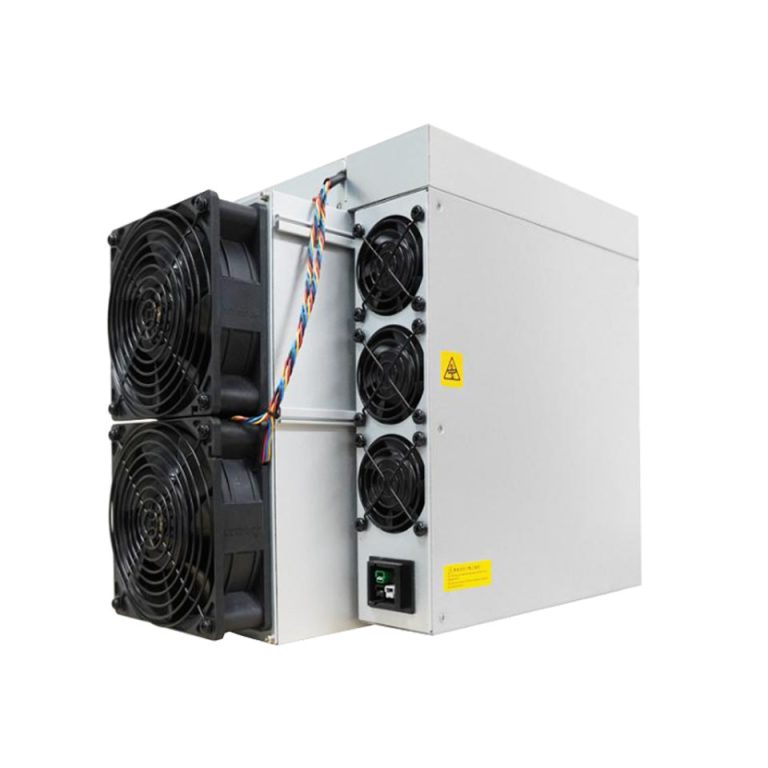
So, you’ve got your hands on Bitmain’s latest powerhouse—the Antminer L9 doge & ltc miner—and now you’re itching to fire it up for some Litecoin (LTC) and Dogecoin (DOGE) mining? Well, buckle up because you’re in for a ride!
The Antminer L9 is one of the hottest releases in the crypto mining world. With its jaw-dropping 17 GH/s hashrate and impressive 0.21 J/MH efficiency, it leaves its predecessor, the L7, eating dust. Designed for Scrypt algorithm coins, this machine isn’t just for mining Litecoin; it also supports merge mining DOGE (and even some bonus altcoins). Translation? You can maximize rewards without putting in extra energy.
In this guide, I’ll break down how to set up your Antminer L9 for mining LTC and DOGE step by step, sprinkle in some pro tips, and make sure you don’t trip over the common rookie mistakes. Ready to get mining? Let’s dive in!
Why the Antminer L9 is a Game-Changer
Before we jump into cables and configurations, let’s talk about why everyone’s buzzing about this miner.
- Hashrate:17 GH/s (that’s some serious firepower!)
- Power Consumption:~3360W (yes, it’s a hungry beast)
- Efficiency:21 J/MH (30% more efficient than the L7)
- Size:400 x 195 x 290 mm
- Weight:2 kg (heavy but rack-friendly)
- Noise Level:~75 dB (think vacuum cleaner vibes)
If you’re serious about mining Litecoin and Dogecoin, this machine is built to keep your ROI on track while sipping less energy compared to older models.
Related More: Top 5 Litecoin Miners of 2025
Prerequisites: What You Need Before Setup
Setting up the Antminer L9 isn’t rocket science, but you do need to prep. Skipping these could mean blown circuits or frustrating delays.
Hardware Checklist
- C19 Outlet PDU 220V: The L9 pulls about 3360W, so don’t even think about plugging this into a regular household outlet. You’ll need a dedicated 20A circuit(220–240V).
- Power Distribution Unit (PDU):Rated for high-load operation.
- Ethernet Cable:Stable connection to your router/switch (WiFi won’t cut it).
Software & Account Prep
- Computer with Web Browser:Chrome, Firefox, or Edge.
- IP Discovery Tool:Bitmain’s IP Reporter or alternatives like Angry IP Scanner.
- Mining Pool Account:
- ViaBTC– merged mining (LTC + DOGE + BEL + LKY + JKC + Dingo).
- F2Pool– another great choice for merged mining.
- Wallet Addresses:For payouts. Make sure you’ve got a secure wallet for LTC and DOGE (and optional altcoins like BEL or LKY).
Step-by-Step: How to Set Up Your Antminer L9 for Mining LTC and DOGE
Now to the fun part—actually getting your L9 up and running.
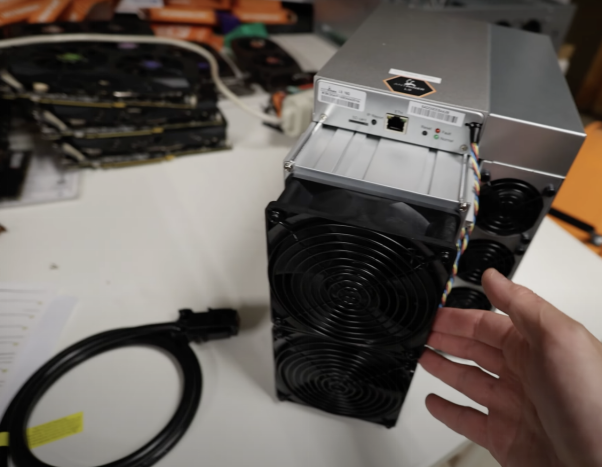
1. Unboxing and Inspection
- Carefully unpack the L9.
- Check for damage during shipping.
- Ensure you’ve got: the miner, power supply, and Ethernet cable.
(Pro tip: Save the foam inserts and box in case you need to transport or resell later.)
2. Wiring and Network Connection
- Power Connection:Plug the L9 into your 220V power supply via the C19 connector. Double-check stability—these machines don’t like loose connections.
- Network Connection:Connect an Ethernet cable from your L9 to your router/switch.
3. Finding the IP Address
- Run Bitmain’s IP Reporter Tool(download from their official site).
- Press and hold the IP Report button on your L9 until the tool identifies it.
- Alternatively, use Angry IP Scanner or Advanced IP Scanner if Bitmain’s software gives you trouble.
4. Logging Into the Antminer L9 Interface
- Open your browser and type the IP address you just found.
- Enter default login credentials (usually root/root).
- Boom—you’re in the L9’s settings dashboard.
5. Configuring Mining Pools
This is where you tell the L9 where to send its mining power.
- Navigate to the Miner Configuration
- Input your mining pool details (choose from ViaBTC or F2Pool). Example format:
- Pool 1: stratum+tcp://ltc.viabtc.com:3333
- Worker: YourPoolUsername.worker1
- Password: x(usually not required but enter something if the field insists)
- Add backup pools(always smart in case the first pool goes down).
(Tip: Use merged mining pools so you automatically get DOGE alongside LTC. Two birds, one hashrate!)
6. Start Mining
Hit Save & Apply.
The L9 reboots, then starts hashing.
Check the Dashboard tab to monitor:
- Hashrate
- Temperature
- Fan speeds
- Power usage
7. Monitoring and Maintenance
Mining isn’t just a “set and forget” deal. You’ve got to babysit your rig a little.
- Check Performance:Make sure hashrates are steady at ~17 GH/s.
- Temperature Management:Keep ambient temps under 45°C. Use industrial fans or AC if needed.
- Noise Control:At ~75 dB, you won’t want this in your living room. Consider a soundproof enclosure.
- Dust Cleaning:Every few weeks, clean out dust from fans and heat sinks.
- Firmware Updates:Check Bitmain’s support page for updates.
Extra Tips for Maximizing Profits
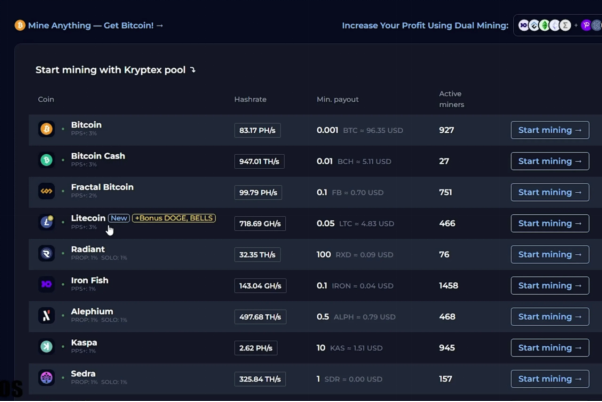
- Choose the Right Pool:Compare fees, payout thresholds, and uptime.
- Electricity Costs:Run the numbers—at 3360W, cheap power makes a huge difference.
- Merge Mining Perks:Don’t miss out on DOGE and altcoins like BEL or LKY.
- Secure Wallets:Always store mined coins in wallets you control (not exchange wallets).
FAQs
Q1. Can I mine only DOGE with the Antminer L9?
Not directly. DOGE is merge-mined with Litecoin. So when you mine LTC, you get DOGE rewards too—bonus win!
Q2. Do I need a special cooling setup?
If you’re in a hot climate, yes. Industrial fans or AC can prevent overheating.
Q3. How noisy is the L9 really?
At ~75 dB, it’s about as loud as a vacuum cleaner. Definitely not something you’ll want near your bedroom.
Q4. Can I run the L9 on regular home power?
Not safely. The L9 needs a 220–240V dedicated circuit. Using regular outlets risks tripping breakers or worse.
Q5. Which is better—ViaBTC or F2Pool?
Both are great. ViaBTC is popular for merged mining; F2Pool is known for stability. Try both and see which works better for you.
Conclusion
And there you have it—your complete walkthrough on how to set up your Antminer L9 for mining LTC and DOGE. From unboxing to hashing, the process is straightforward once you’ve got the right power setup, mining pool, and wallet addresses ready.
The Antminer L9 is a monster of efficiency, delivering up to 17 GH/s with 30% less energy than older models. Paired with merged mining, you’re essentially doubling your rewards without extra effort.
So, plug it in, configure it right, and let your L9 churn out those sweet Litecoin and Dogecoin rewards. Just don’t forget to clean out the dust bunnies and keep an eye on your temps.